Building Your Nerve Center
Back to Table of Contents
Back Jitters and Transium
Back to Starter guide
3. Build Your Nerve Center
Welcome to your camp. You have been granted this region of land to mine and defend to the best of your ability. Currently, your camp is under the protection of the Corporate Defense Network. This means you cannot be attacked by another Settler. Corporate defenses will remain in place until you teleport to an enemy camp, or stake claim to a second camp.
Take a moment to get familiar with Avatar's movement. The basic movement controls are:
- W - Forward.
- A - Slide Left.
- D - Slide Right.
- S - Back.
- F - Switch between Mouse Look (Fire) Mode and Command Mode.
- Mouse - Look/point in the direction you wish to go (while in Mouse Look (Fire) Mode).
Be sure to check the complete list of Keyboard Commands.
Hover around your camp until you find a place to start your camp. The location is up to you, but find a strategic, defendable location. On top of a hill or in a valley surrounded by mountains are good locations. Try to stay away from the perimeter, and try to build next to the big green Transium Crystals. These are your resources, and you should try to be near at least one of them.
Everything you need to survive on Planet Visitor is in your backpack in the form of Jitters. Jitters are a silicon-based life form native to Planet Visitor. Jitters have been programmed by your corporation to build and construct various objects. Jitters cannot be reprogrammed. A weapon Jitter will always be a weapon Jitter.
|
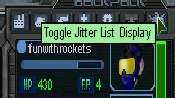
Click the Jitter Menu Icon (it is the one that looks like a jellyfish) located just above your Avatars portrait. This will bring up your Jitter inventory list. All of your possessions are currently in Jitter form, and must be built. |
|
|
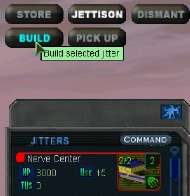
Scroll down the list until you locate your Nerve Center Jitter. Left click to select it and a list of command buttons will appear in the top right. Click the "BUILD" button. |
|
|
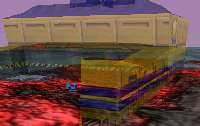
Now move your cursor to the play field. You will now see a transparent image of the Nerve Center. Move the image around with the mouse (you can rotate it with the "Page Up" key) until you like the position. It may be easier for you to place the Nerve Center if you hit the "F" key and enter Mouse Look mode. Click on the play field to build the Nerve Center. Once the build process has started, it cannot be stopped, but you can "RELOCATE" it later if you like. |
|
| |
|
To enter Nerve Center Mode move your Avatar to either door located at the front and rear of the Nerve Center (NC). Once inside you will be in Camp View and you'll notice a new menu at the top of your screen.

In Nerve Center Mode you will find:
World View which you will use for teleporting.
Inventory gives you information about every object available on Visitor.
Corporate Market is for buying and selling Transium and objects.
CorpNet is for keeping track of friends and enemies.
Help is what you are reading now.
Note: The Nerve Center is the only Jitter that is encoded to build itself. All other Jitters must be built using other construction facilities.
Onto Storing Your Jitters
|



