Storing Jitters
Back to Table of Contents
Back to Building Your Nerve Center
Back to Starter guide
4. Storing Your Jitters
Remember, the Nerve Center is the only Jitter that is encoded to build itself. All other Jitters must be built using construction facilities. In order to do this, you must first "Store" your jitters into the appropriate facilities.
One of the Nerve Center’s Primary functions is to build other structures. To do this, you must first Store "Building Jitters" in the Nerve Center. The next skill you need to learn is how to move your "Building Jitters" from your Avatar's Backpack into your Nerve Center. There are a number of ways you can accomplish this.
|
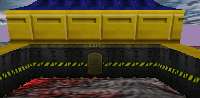
Notice the front and back doors of the Nerve Center. Approach one of these doors to enter the Nerve Center. |
|
|
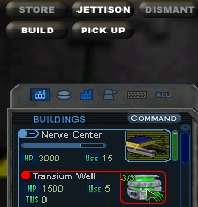
Open your Jitter List again and find your "Transium Well" Jitters. You should have at least two. Left click on the Transium Well and then click the "Store" button that appears in the top right. This will place one of your Well Jitters into the Nerve Center's inventory.
You can also 'drag-n-drop' your jitters onto the your Nerve Center.
To quickly Store ALL jitters that can go into the Nerve Center, point at the Nerve Center and press the 'Store All' hot key (default is F3).
Please note that not all jitters go into the Nerve Center.
|
|
|
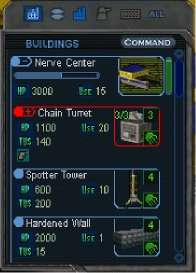
To check on the Jitters that you have stored, double click on the Nerve Center and your menu will display the building's inventory. |
|
Note: You can store your Building Jitters from within the "Paddock" without entering the Nerve Center. This is the area between the two arms of the building.
Onto Building Wells
|



