Building Wells
Back to Table of Contents
Back to Storing Your Jitters
Back to Starter guide
5. Building Wells
Before you can go any further, you must mine for Transium. Transium is a precious resource rich in energy and is the key reason your corporation has sent you to Planet Visitor. You will need Transium to power your buildings and Rovers, and to fire your weapons.
From within your Nerve Center you can get a good overhead view of your camp. There are a few ways you can move around in Nerve Center View. Use the "F" key to toggle between Command and Mouse Look Mode.
In Command Mode, you will be able to access your menus while using your direction and Cursor keys to move your view.
While in Mouse Look Mode, however, your can quickly fly and zip around your camp. Simply use your mouse to point in the direction you want to go, and use your directional keys to move. Press SPACE BAR to quickly move up.
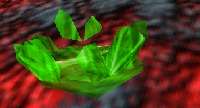
Move around in Nerve Center Mode and Locate the Transium HotSpots. These are the bright green crystal clusters. |
 |
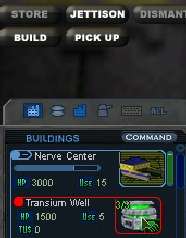
Double Click on your Nerve Center to open your building list to your Nerve Center, showing its inventory.
Find the "Transium Well" Jitter, and left click on it and click the "Build" button. |
 |
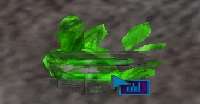
Again, you get the build cursor with a transparent image of the well. Move that
image directly over the HotSpot and click to build. |
 |
Note: You can build from this overhead view or from 1st person;
each has its advantages.
Onto Getting Familiar
|



